Designing a skill
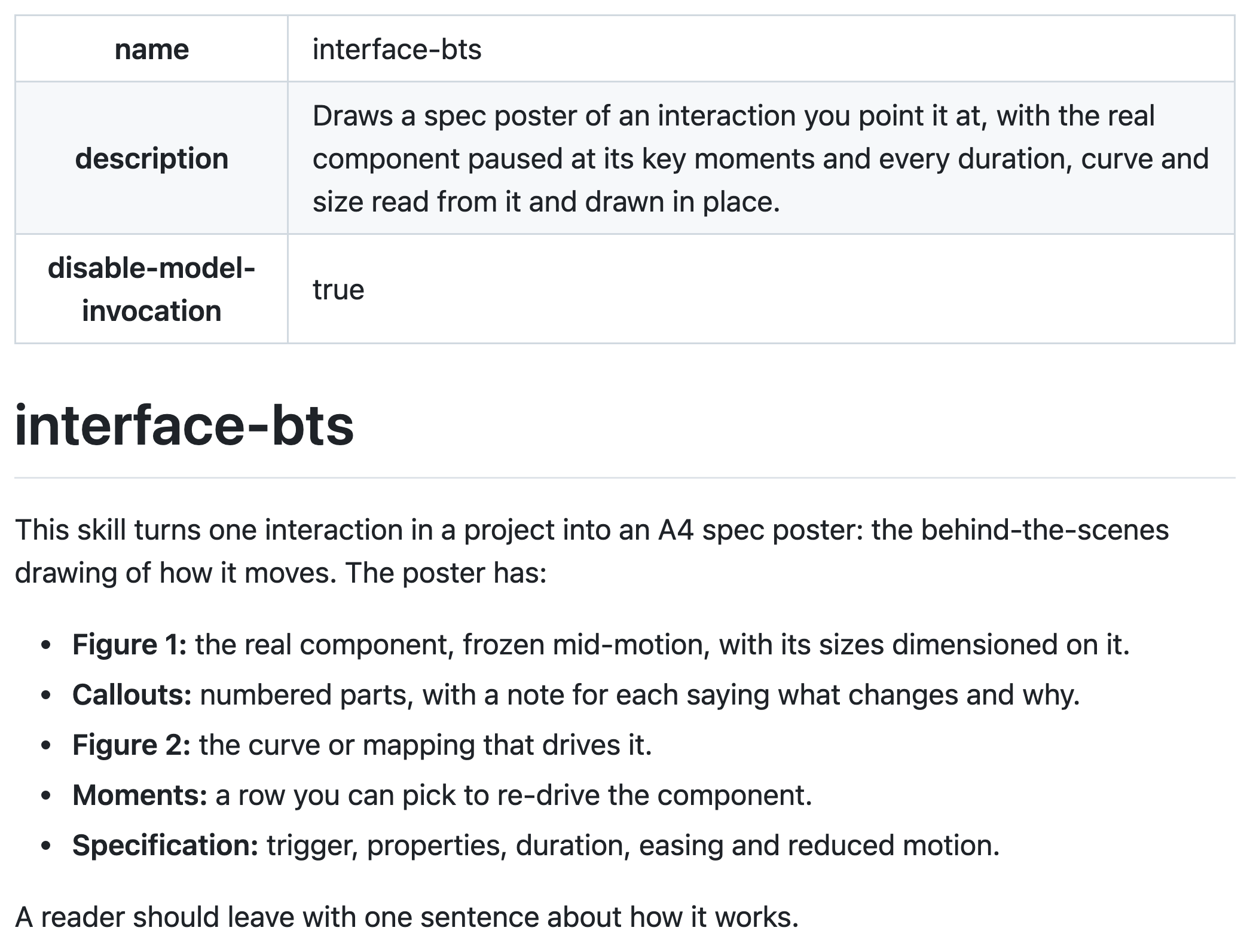
If you think about it for a second, skills are the apps of the agentic era. You install one, ask your agent to use it on your behalf and get a job done. The only difference is that it’s written in markdown instead of code.
Most skills I’ve used read like a set of instructions and that’s fine. The ones I remember were clearly designed, worked the way I expected and got things done the way I wanted.
While working on a skill recently, I unintentionally stopped thinking of it as a set of instructions and started looking at it through the lens of an app I was going to ship. The interesting part is that it has two users. One is the human using the skill, who types the command to install it. Second user is the AI agent that reads the instructions and does the job.
Making a skill do something is the easy part, and most of the time agents can handle it. Polishing the surfaces humans see and use is where I spent most of my time.
Finding the right form
The initial versions of interface-bts generated an overlay on an existing page connected to the shortcut ⌘. The overlay showed the interactive component along with some annotations and a curve graph.
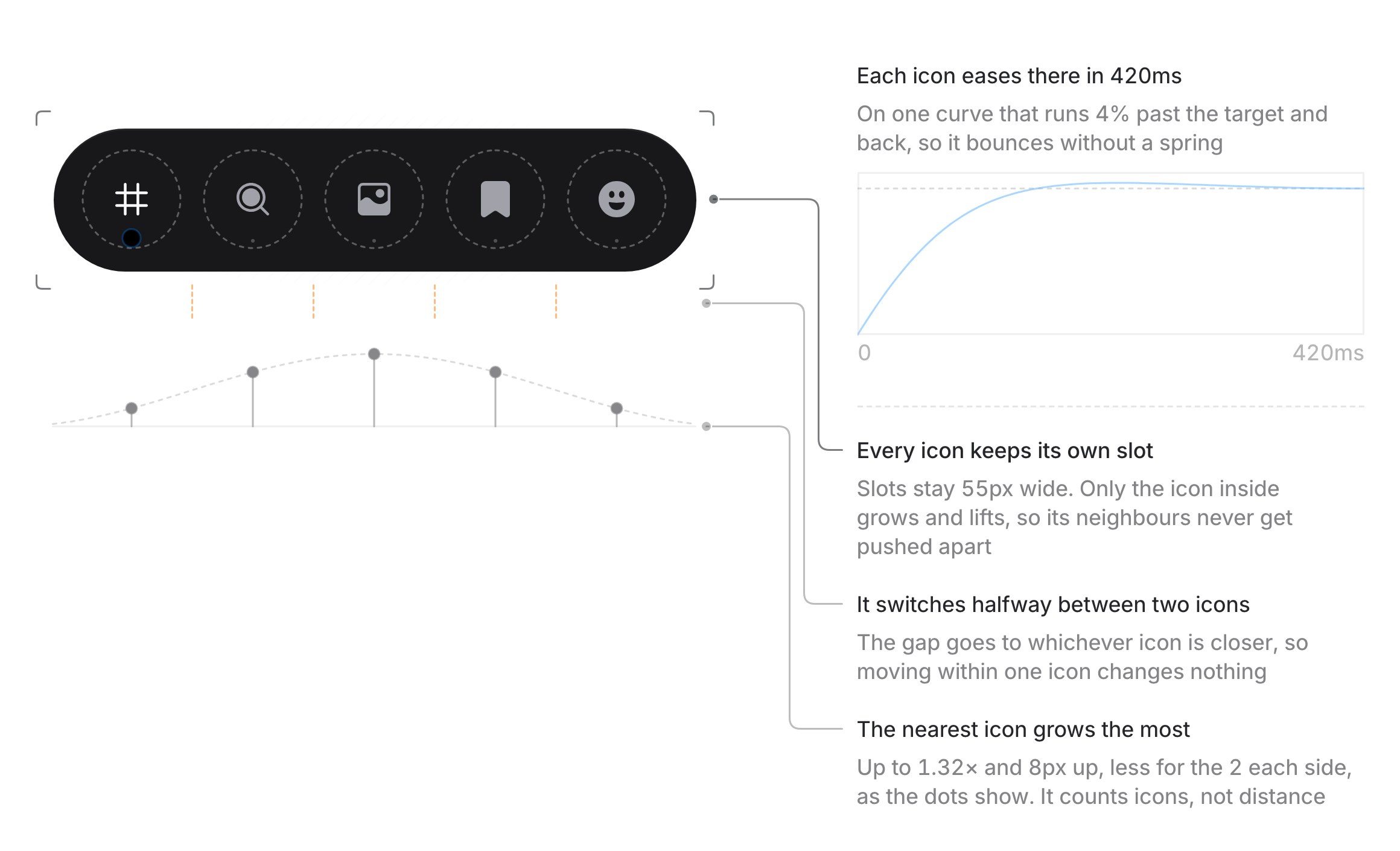
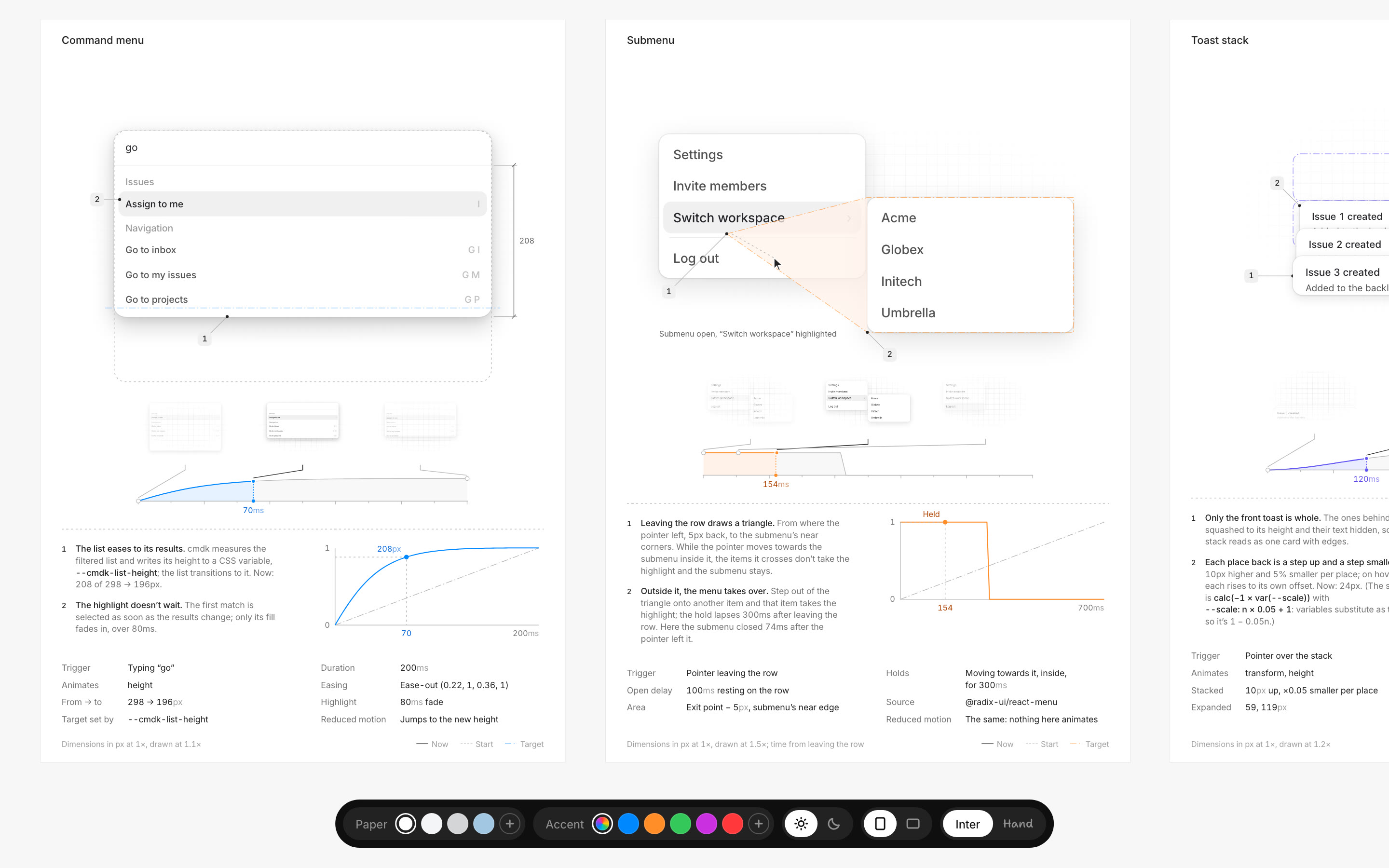
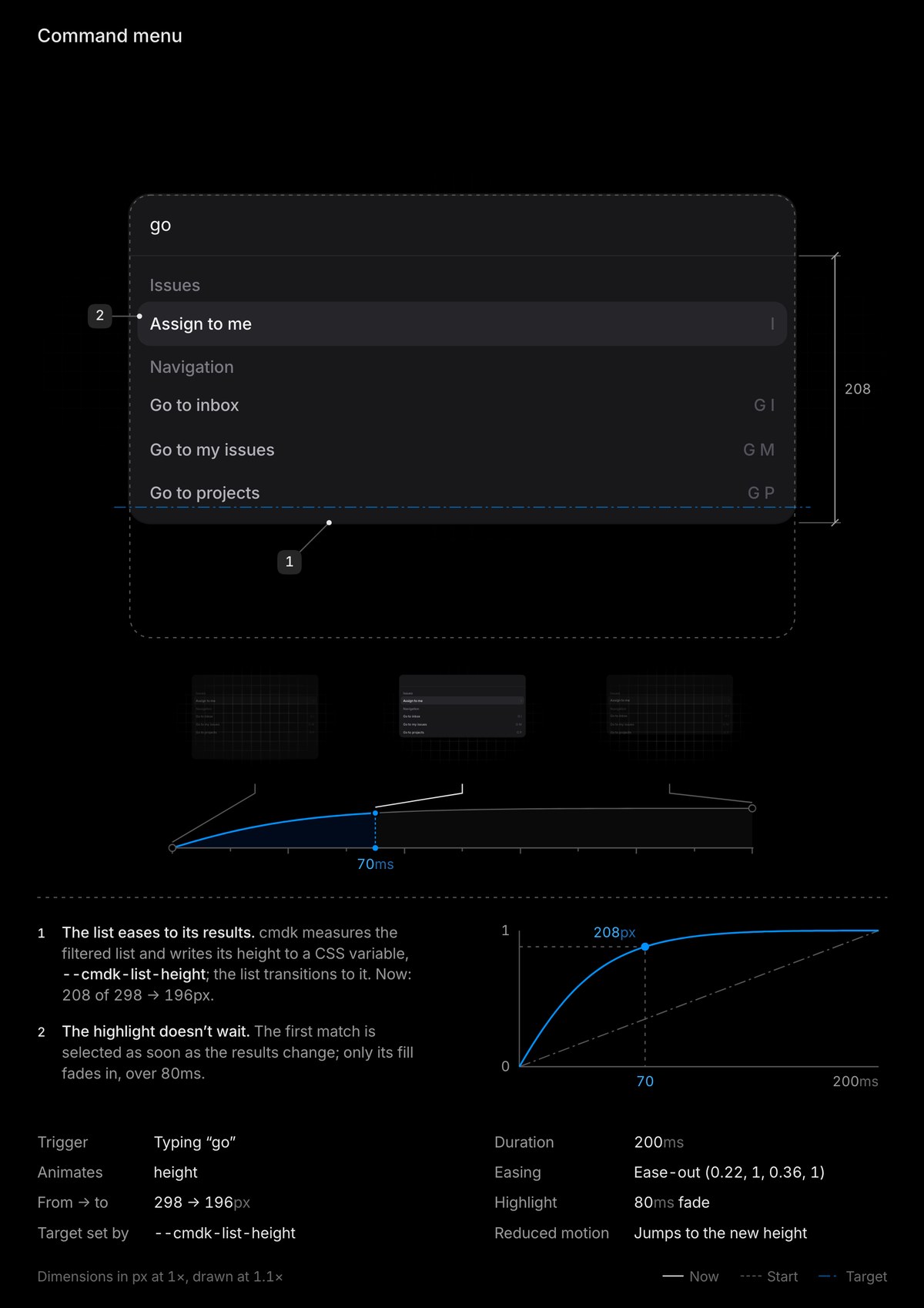
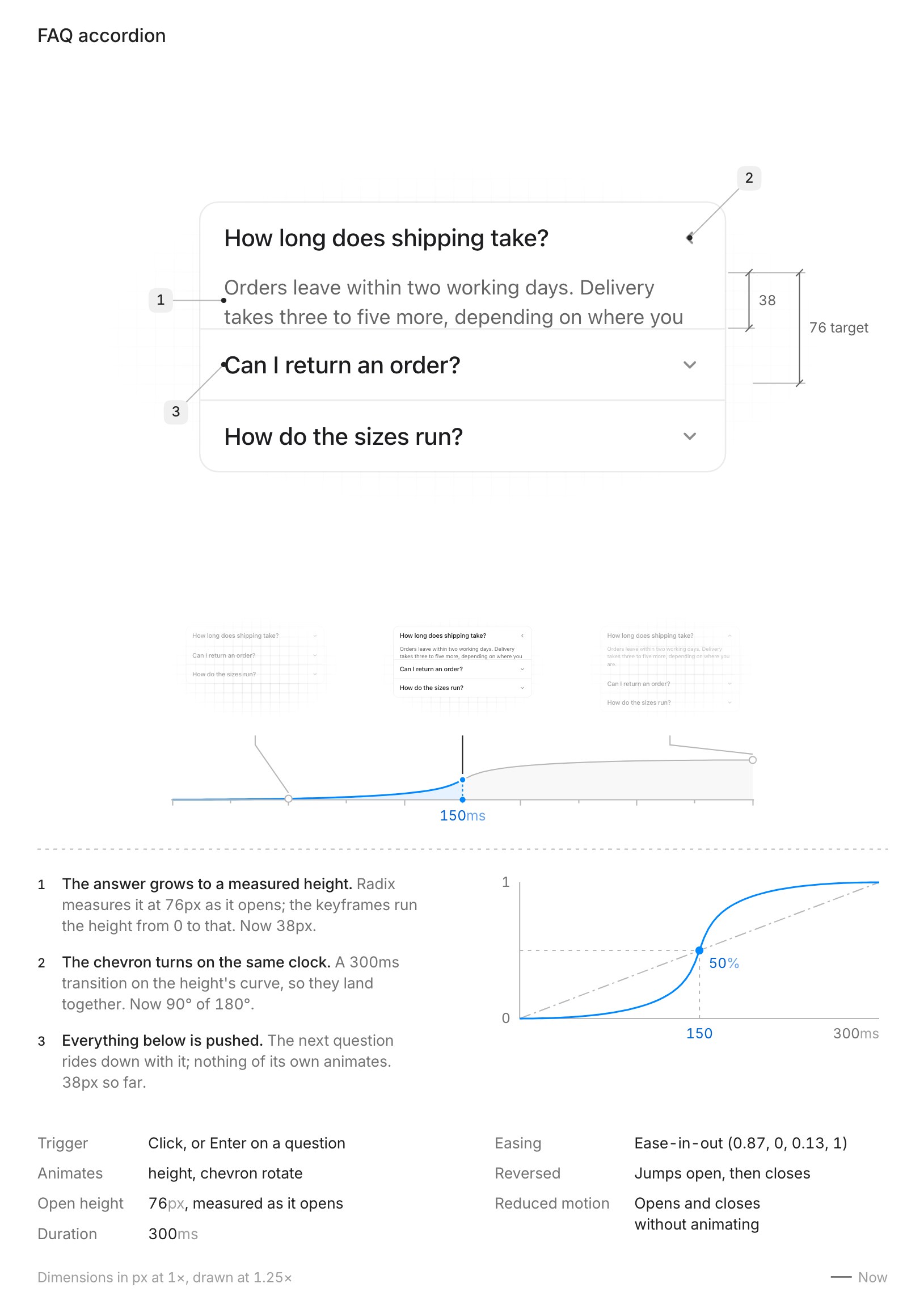
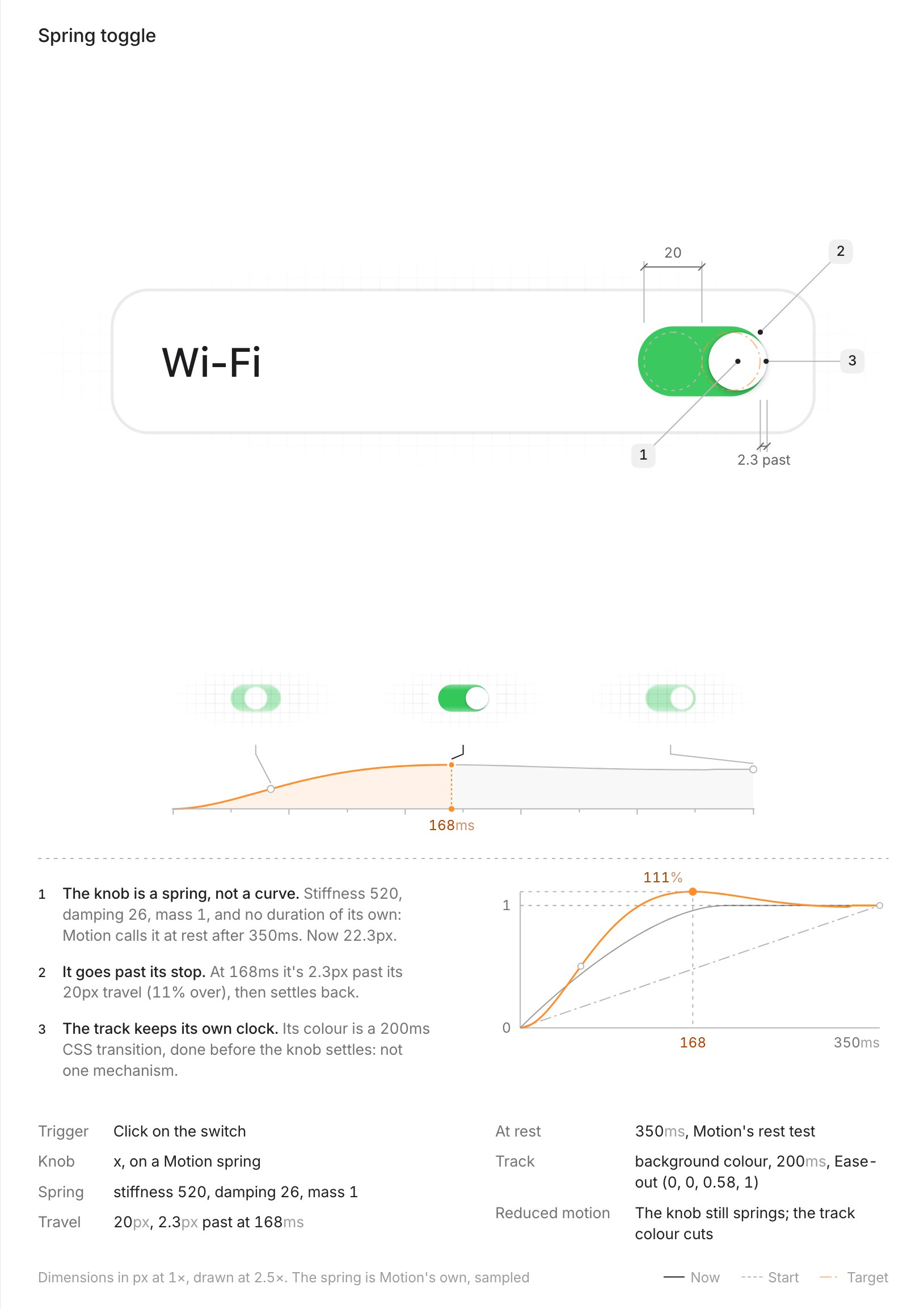
After a few iterations I came up with the idea of freezing animations and interactions mid-action and showing what’s behind them in a nicely designed, poster-like layout.
The first few iterations of this idea resulted in visualisations that felt overwhelming. They tried to explain ideas in 3x the words they could have been explained in.
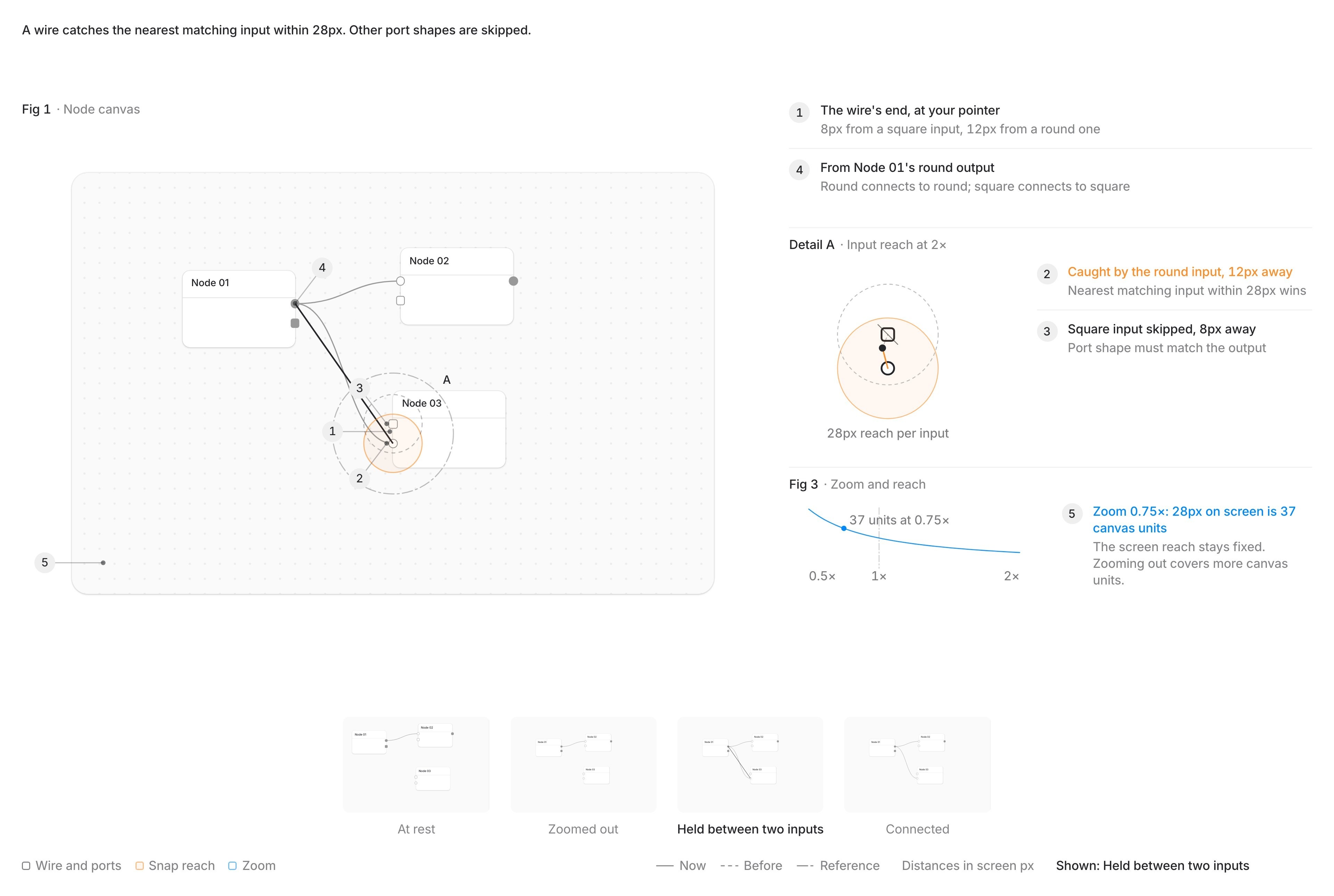
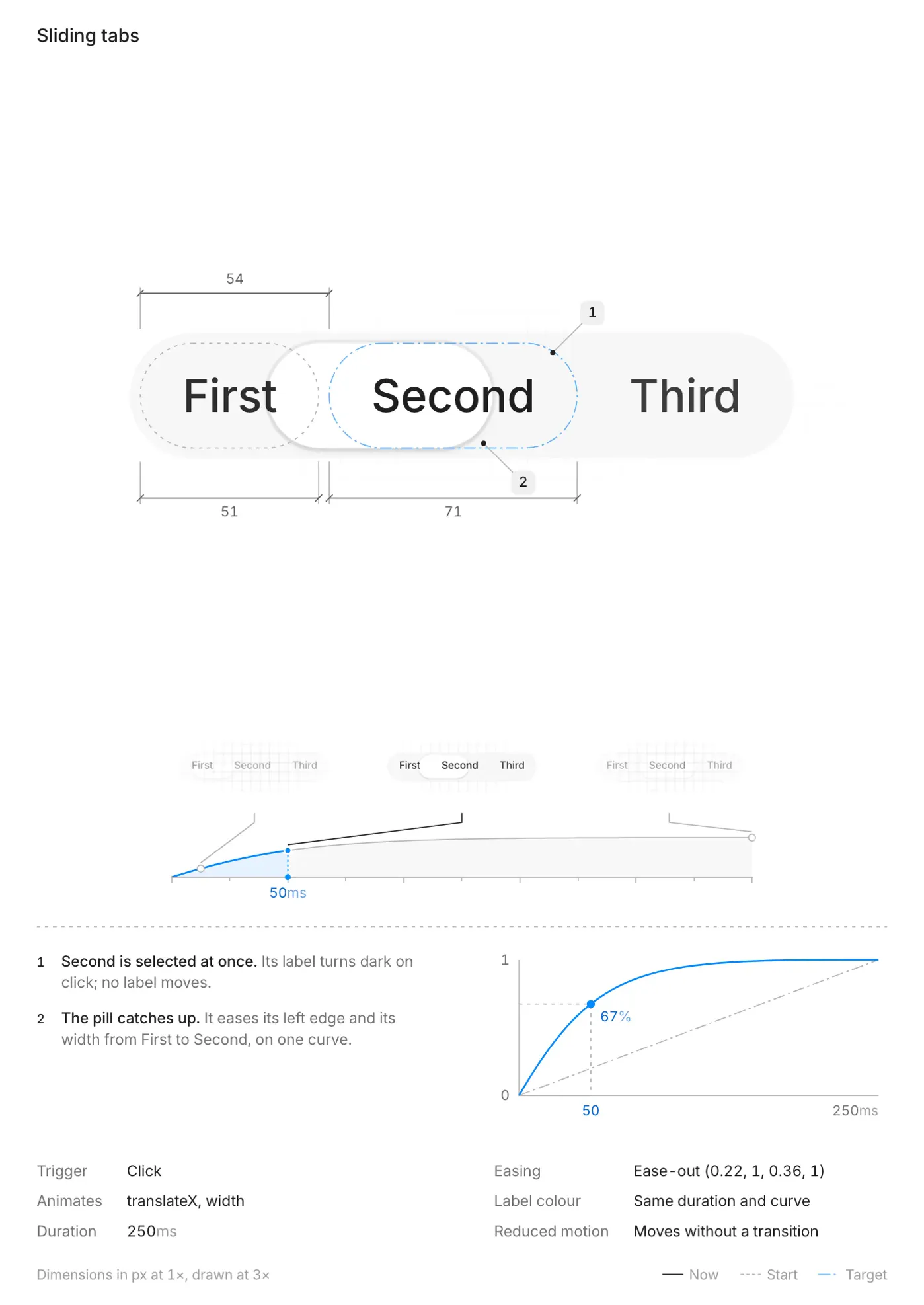
bts of sliding tabs
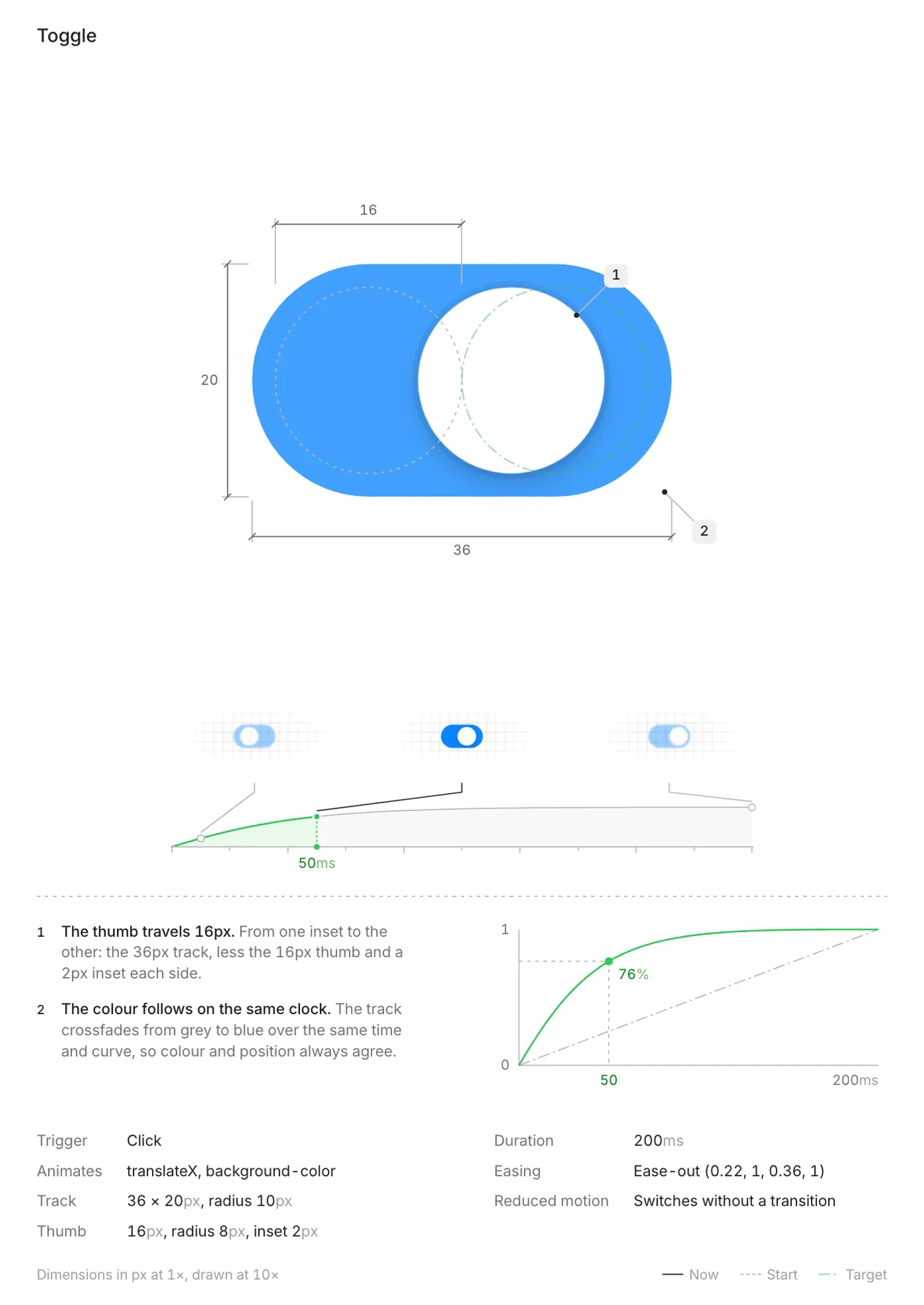
bts of a toggle
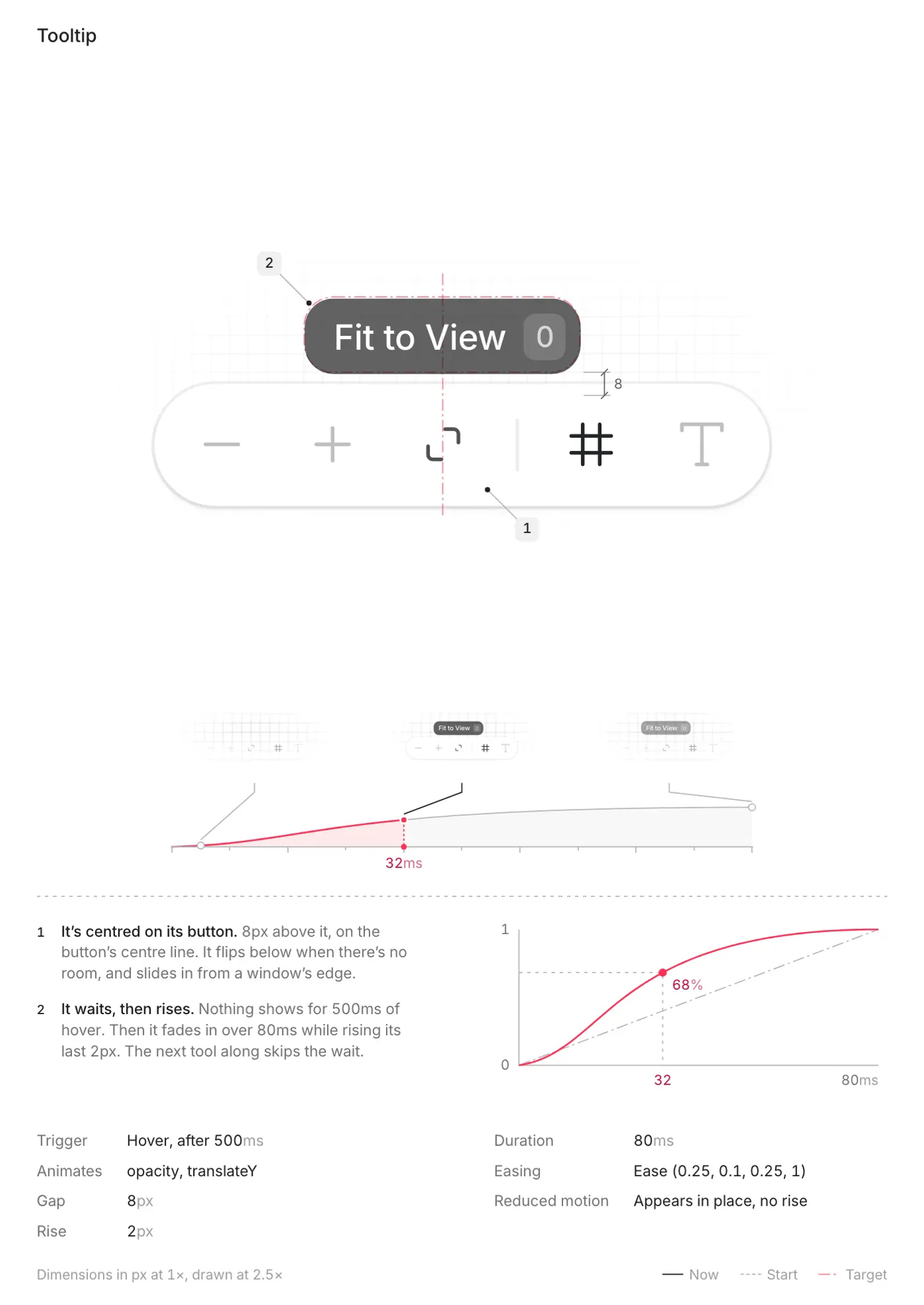
bts of a tooltip
Copywriting
Then came the part where I needed to make sure the human-facing writing was as easy to read as possible and slop-free. I wanted the notes to be educative and explanatory but not too technical by default.
Since my “app” has only a single screen, I had to be very thoughtful about the copywriting. I tried to keep the notes concise while still clearly explaining a concept.
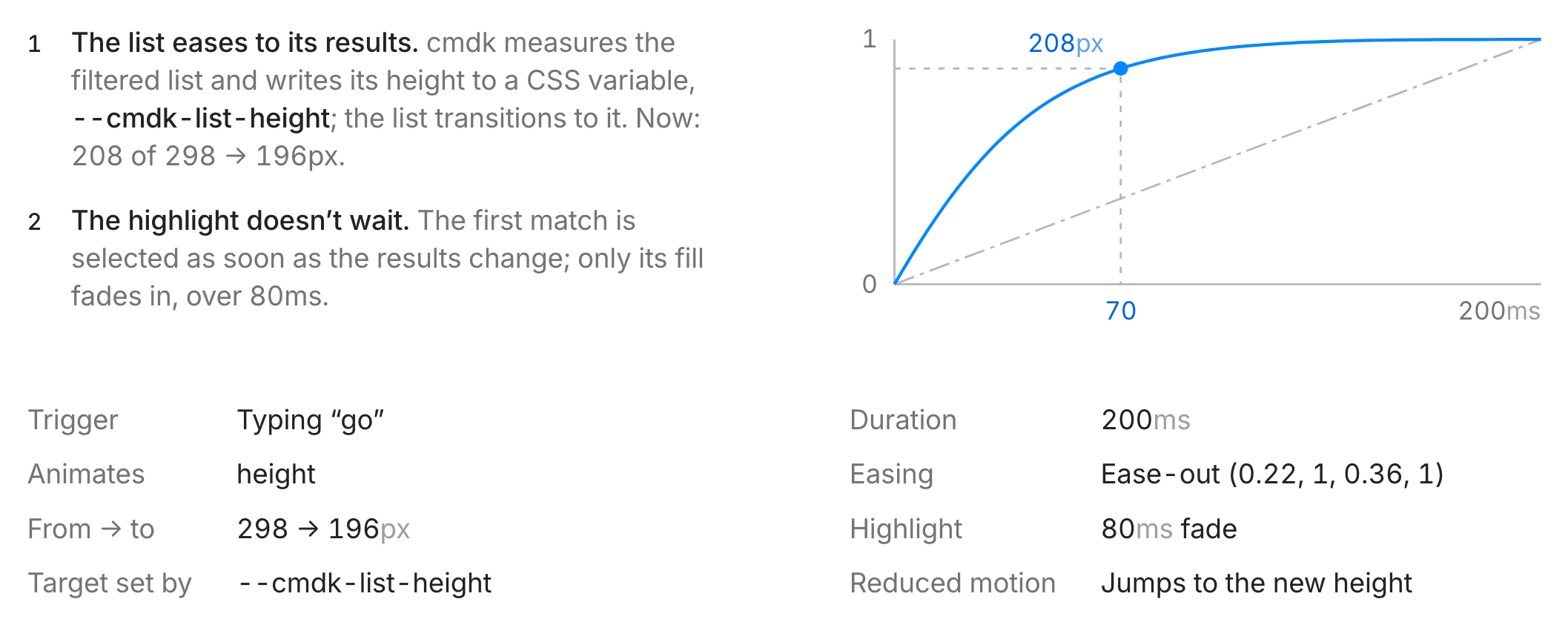
Give it a look
Most of the time skills don’t have a user facing surface but this one did. So I made it as polished as one would polish an app they’re going to put in front of users.
All the drawings and elements around the subject on each poster come from a small set of tokens for typography, spacing and colour.
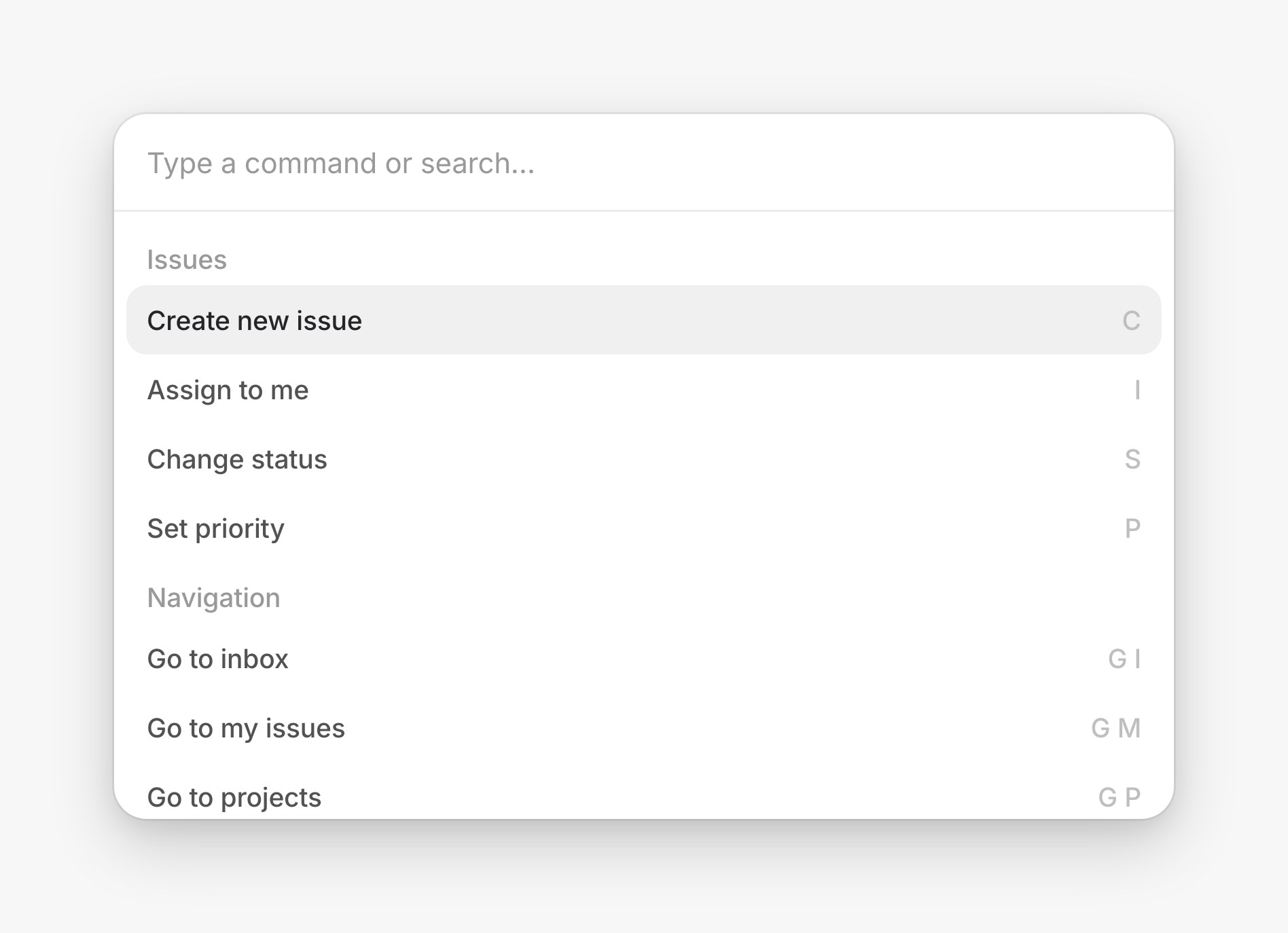
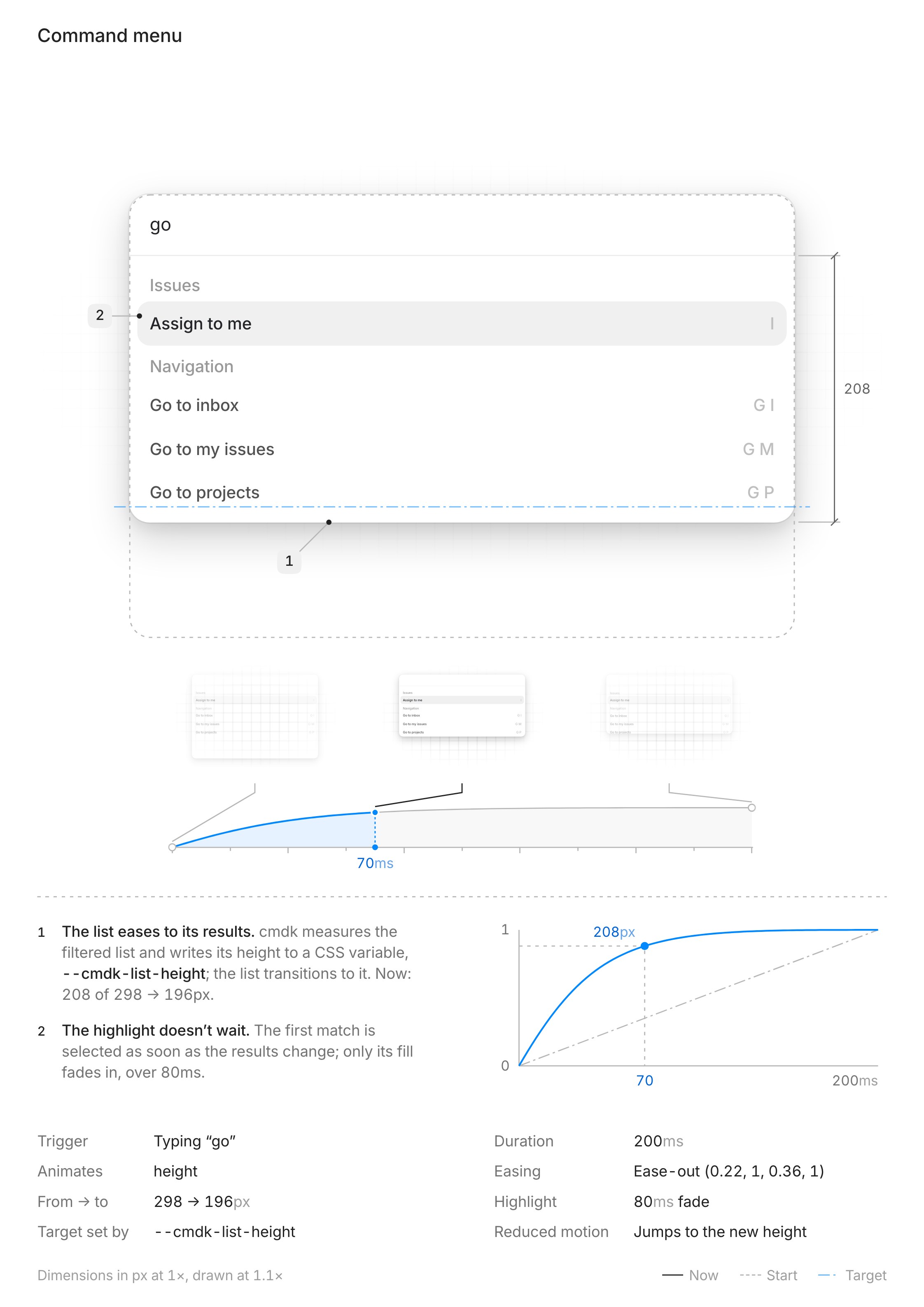
Use it like others will
While stress testing interface-bts the idea of someone using it to generate several posters came to mind. So I asked my agent to add rules for presenting more than one. Instead of creating a new page for each poster and bloating the user’s project, they go on a single page with horizontal scroll.
Let users own the output
To give users the freedom to make posters their own, the page that shows them comes with a configurator for surfaces, typography, themes and more.

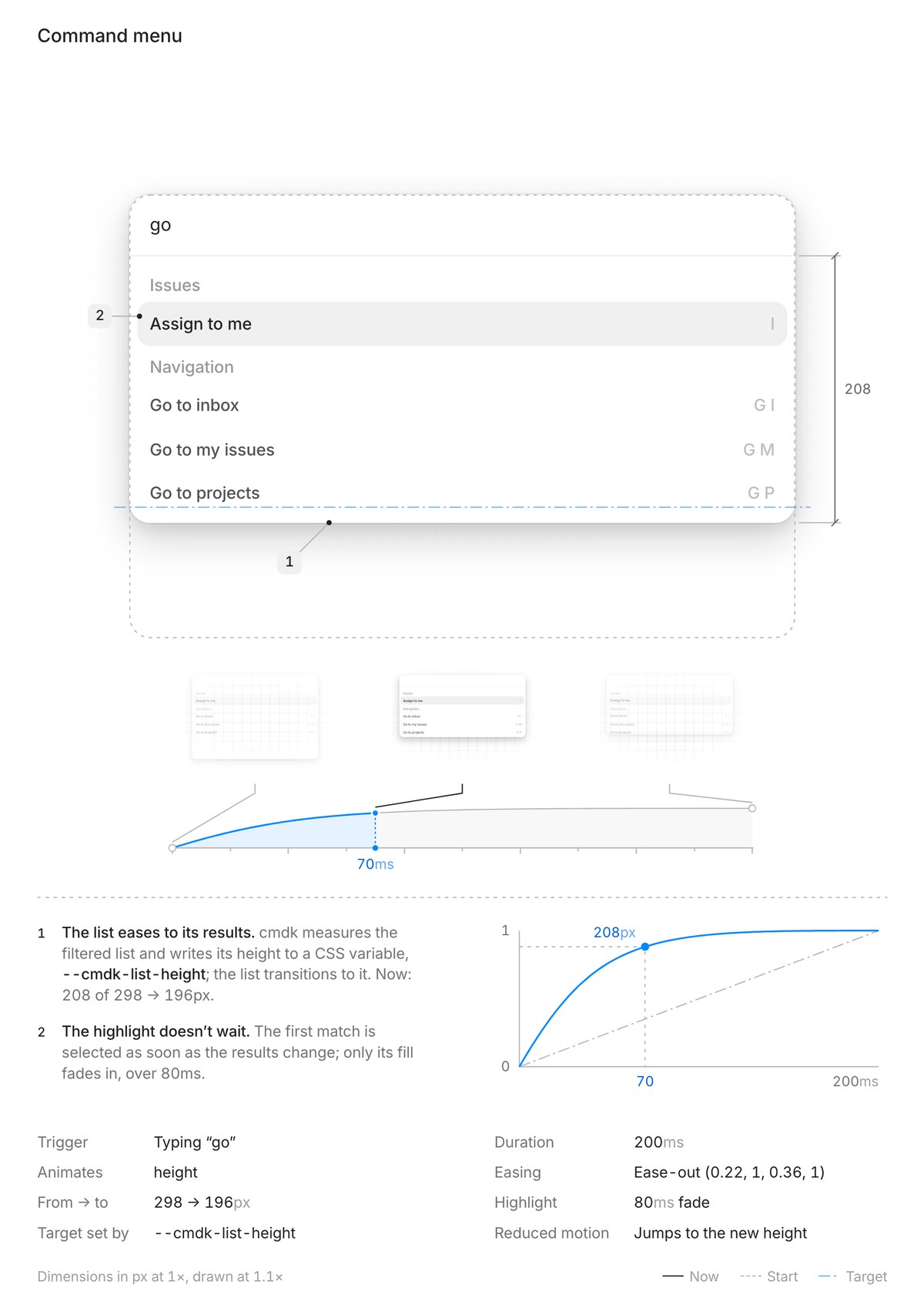
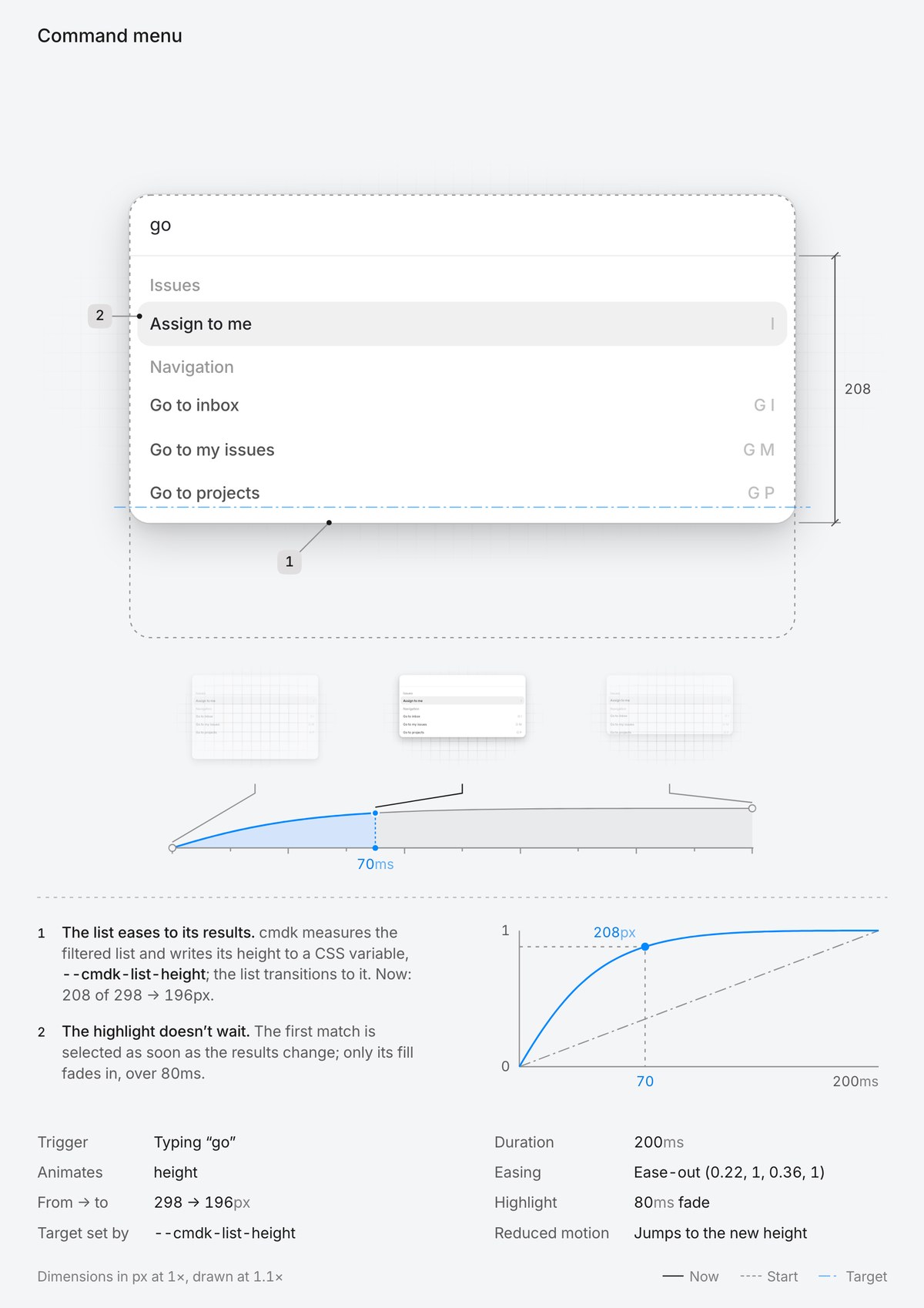
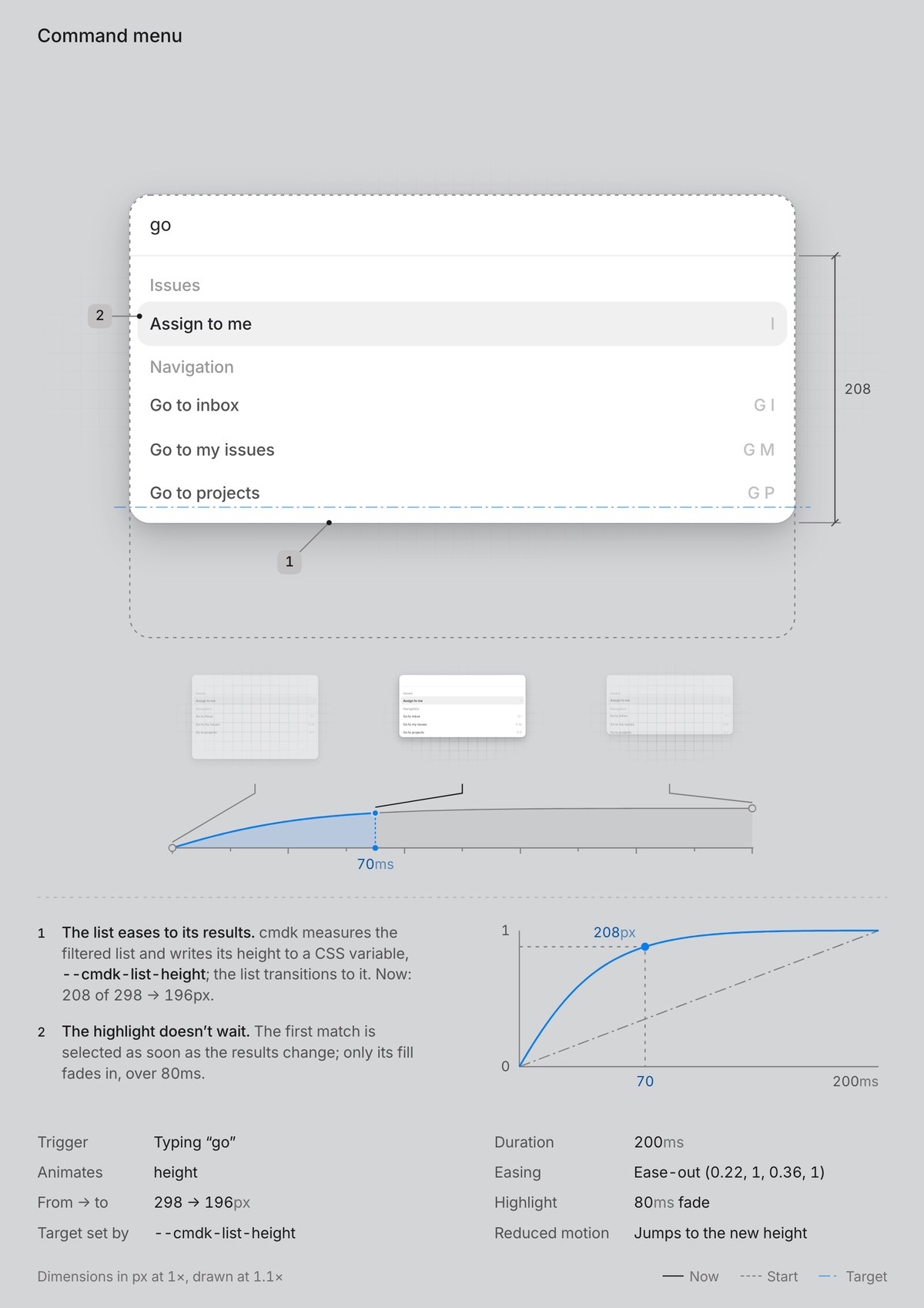
Making the configurator delightful to use is another thing that made me think of skills as the apps of the agentic era.
Be specific
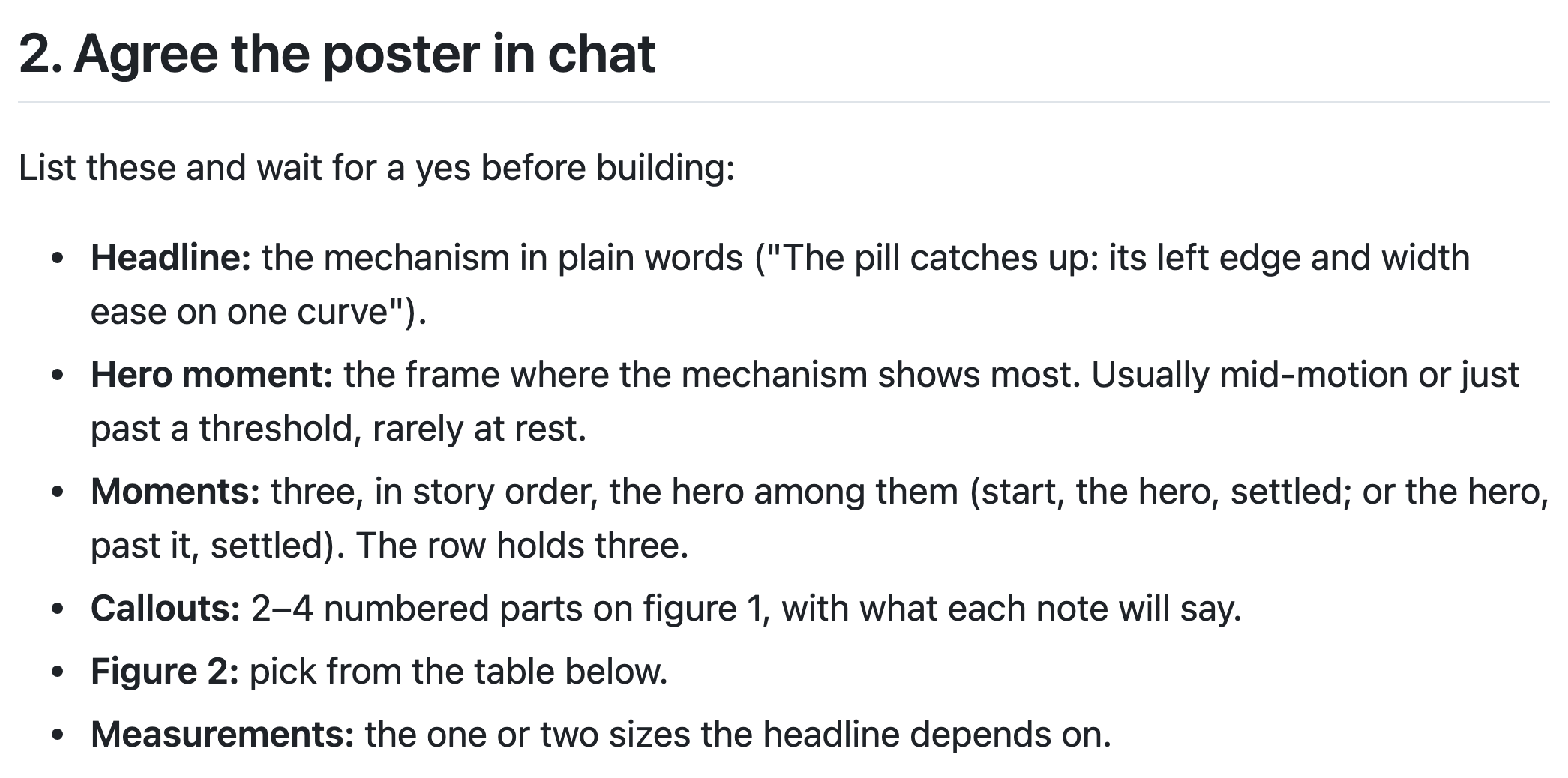
All of this has to be written down in the instructions. The agent only knows what you tell it so words like “clean” or “minimal” didn’t get me far. What worked was being as precise as possible and very intentional with each instruction.
Test it like an app
Testing a skill is a lot like testing an app. Try it in different projects, components and settings. Once I was happy with the results, I asked my agent to stress test it in a fresh session and see where it breaks.
If you’re someone who obsesses over small details, designing a skill is a really good exercise. You’re designing an app with nothing but words so you have to put your intuition and taste into text someone else can follow.
That’s also why skills matter. Models lean towards the most familiar patterns, and great design needs context and trade-offs a single prompt can’t carry. A skill is where you write them down.
If you care enough about the details, anything can be designed. Even a sentence.
interface-bts is open source. Try it in your own project.
npx skills add nomanjack/interface-bts